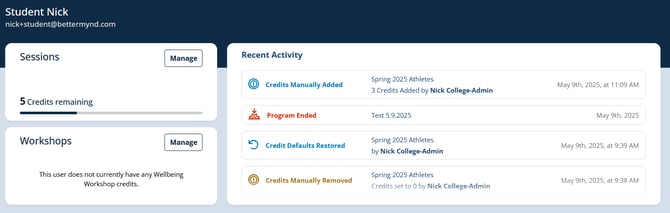
Campus Admins can see a log of recent activity on the user details page. This page is available to any admins of institutions that use Programs. Types of Activity that are tracked include:
- User Added To Program
- User Removed From Program
- Program Started
- Program Ended
- Program Credits Manually Added (User Override)
- Program Credits Manually Removed (User Override)
- Credit Defaults Restored (Removed User Override)
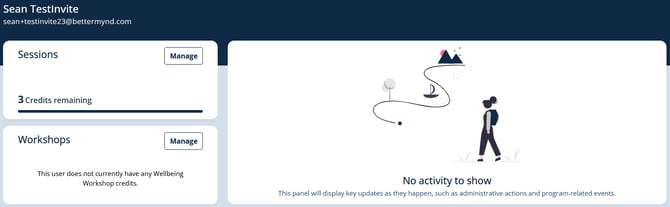
When there are no activities for a user, you will see this screen:
When there are activities to view, you will see a screen like the one below: