
Most campuses choose to allow students to self-register and access BetterMynd sessions.
If you want to invite a specific student or are a referral-only campus, you can send personal invitations through the dashboard.
Inviting a student to register for BetterMynd
- Log in to your BetterMynd dashboard
- Click on the Users tab, then choose the Invite button

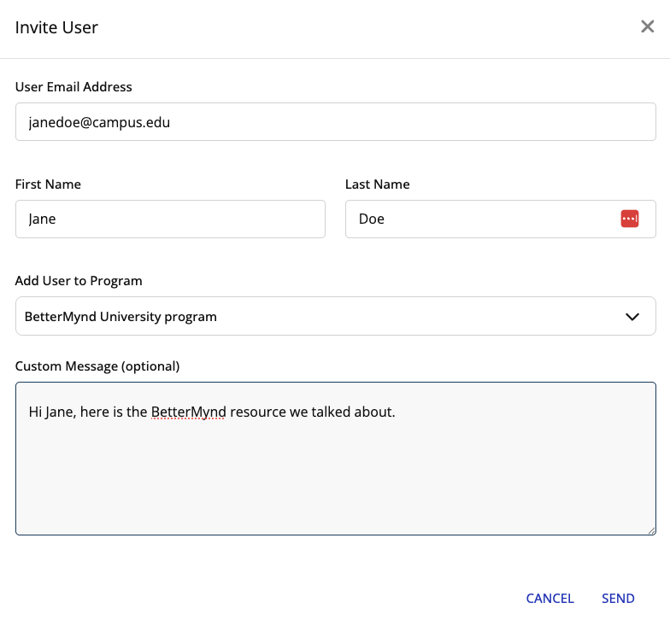
- In the pop-up modal, enter the user's email, first and last name, and optionally add them to a Program or add a custom message
- Click Send
The student will be sent an email inviting them to register for BetterMynd.